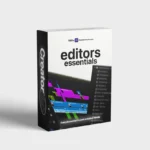
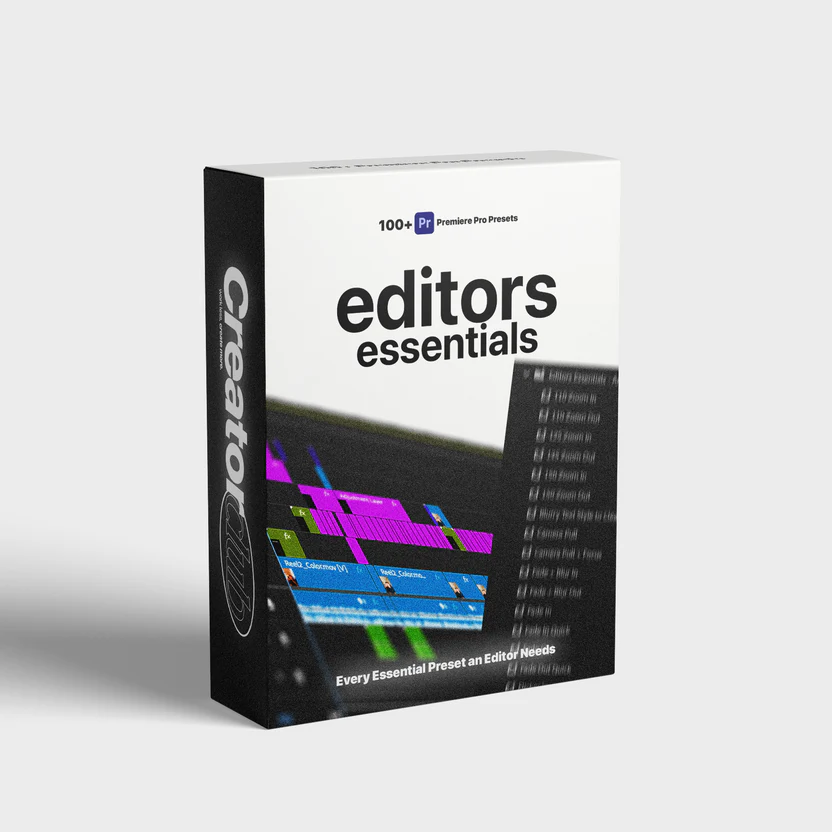
Editors Essentials – 100+ Adobe Premiere Pro Presets
$50.00 Original price was: $50.00.$19.00Current price is: $19.00.

Editors Essentials – 100+ Adobe Premiere Pro Presets
The Ultimate Toolkit for Fast, Professional, and Cinematic Video Editing
Introduction: Why Modern Video Editors Need Smart Presets
Video editing today is no longer just about cutting clips and adding music. Audiences expect cinematic visuals, smooth transitions, consistent color grading, and professional motion graphics across every platform. From YouTube creators and filmmakers to digital marketers and social media managers, everyone needs speed without compromising quality.
This is where Editors Essentials – 100+ Adobe Premiere Pro Presets becomes a powerful solution. Instead of building effects from scratch for every project, editors can instantly apply refined presets that elevate production value while saving countless hours of work. These presets act as creative shortcuts, allowing editors to focus more on storytelling and less on repetitive technical tasks.
What Are Adobe Premiere Pro Presets?
Presets in Adobe Premiere Pro are pre-configured settings that apply effects, animations, or adjustments with a single click. They can include transitions, color looks, motion effects, text animations, zooms, and stylistic overlays.
Using presets ensures:
Consistent visual style across projects
Faster editing workflows
Reduced technical complexity
Professional results even for beginners
With a well-organized preset library, editors gain the freedom to experiment creatively while maintaining efficiency.
Why Editors Essentials – 100+ Adobe Premiere Pro Presets Stands Out
Not all preset packs are created equal. Many offer limited variety or poorly optimized effects that slow down timelines. This collection is designed with real-world editing needs in mind, balancing performance, aesthetics, and flexibility.
Key Advantages
Carefully crafted presets tested for real projects
Optimized for smooth playback and faster rendering
Suitable for beginners and advanced editors
Works across different video genres and platforms
This pack is not just about quantity; it focuses on quality, usability, and long-term value.
Categories Included in the Preset Collection
1. Cinematic Transitions
Smooth transitions play a vital role in professional editing. The collection includes seamless motion transitions that add flow without distracting the viewer. These transitions help maintain pacing while enhancing visual storytelling.
They work especially well for:
Short films
Travel videos
Corporate presentations
Music videos
2. Professional Color Grading Presets
Color grading defines mood, emotion, and brand identity. Instead of manually adjusting curves and color wheels, editors can apply polished color styles instantly.
Included looks range from:
Warm cinematic tones
Moody dark contrasts
Clean corporate styles
Vibrant social media colors
These presets help achieve consistency across multiple clips and projects.
3. Modern Zoom and Motion Effects
Zoom transitions and motion effects add energy to edits, especially for online content. This preset pack includes smooth zoom-in, zoom-out, and dynamic motion effects that feel natural and professional rather than abrupt or artificial.
Perfect for:
YouTube videos
Podcasts and interviews
Reels and short-form content
4. Text and Title Animation Presets
Titles and captions are essential for engagement and accessibility. Animated text presets help highlight key messages without overwhelming the visuals.
These presets are designed to:
Enhance storytelling
Improve viewer retention
Maintain readability on all screen sizes
They are ideal for tutorials, promotional videos, and educational content.
5. Creative Effects and Stylized Looks
Sometimes a project needs a unique visual identity. Creative presets offer stylized effects such as light leaks, film grain, glitch effects, and cinematic overlays that can transform ordinary footage into something memorable.
Used correctly, these effects can:
Enhance emotional impact
Strengthen branding
Add artistic flair
Who Should Use This Preset Pack?
Content Creators and YouTubers
Creators need fast turnarounds while maintaining quality. Presets allow creators to publish consistently without spending hours on repetitive edits.
Filmmakers and Videographers
For professionals working on tight schedules, presets help speed up post-production while preserving cinematic quality.
Social Media Marketers
Short-form content demands speed and impact. Presets ensure videos look polished and platform-optimized.
Beginners Learning Premiere Pro
For new editors, presets act as learning tools, showing how professional effects are built and applied.
Workflow Benefits: Saving Time Without Losing Quality
One of the biggest challenges in editing is balancing creativity with deadlines. A curated preset pack dramatically reduces editing time by eliminating repetitive tasks.
Editors can:
Apply effects instantly
Make minor adjustments if needed
Maintain consistent style across projects
This efficiency allows more time for refining storytelling, sound design, and pacing.
Compatibility and Ease of Use
These presets are designed to work seamlessly within Adobe Premiere Pro. Installation is straightforward, and presets integrate smoothly into existing workflows.
Key usability features include:
Organized preset folders
Clear naming conventions
Minimal system performance impact
Editors can quickly find the right effect without disrupting their creative flow.
How Presets Improve Creative Confidence
Creative blocks often come from technical overwhelm. Presets remove that barrier by providing reliable starting points. Editors can experiment freely, knowing they can always adjust or revert changes.
This encourages:
Faster experimentation
More creative risk-taking
Improved final output
Why This Collection Is a Long-Term Investment
Instead of downloading multiple low-quality packs, investing in a comprehensive preset library ensures consistency and reliability over time. These presets can be reused across countless projects, making them a cost-effective solution for any editor.
With Editors Essentials – 100+ Adobe Premiere Pro Presets, editors gain a toolkit that grows with their skills and creative ambitions.
Best Practices for Using Presets Effectively
To get the most out of presets:
Match presets to the mood of your content
Avoid overusing effects
Make small adjustments to fit your footage
Maintain consistency across scenes
Presets work best when used thoughtfully rather than excessively.
Final Thoughts: Elevate Your Editing Game
Professional video editing is about efficiency, consistency, and creativity. A high-quality preset pack empowers editors to work smarter while delivering visually compelling results.
Whether you are creating content for social media, filmmaking, or corporate branding, Editors Essentials – 100+ Adobe Premiere Pro Presets provides a strong foundation for professional-grade editing without unnecessary complexity.